 |
|
|
|
|
|
|
|
|
After saving the Timesheet, with all 12 weeks, you can then simply click the Set Weeks button and specify how many weeks you will be using.
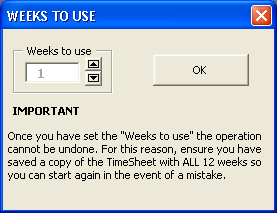
Use the Spinbutton (between 1 and 12) to specify how many weeks and click OK
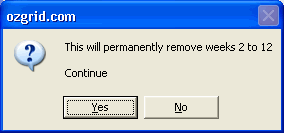
You then click Yes to continue, or No to cancel
Excel Time Sheet Advanced
 $29.95 Excel 97 or above.
 Secure Payment Options
30 Day Money Back Guarantee and HUGE Discounts for Unlimited License
Excel Time Sheet Advanced (Open Source)
$44.95 Excel 97 or above. Password for VBA code and Formulae supplied.
Special ! Free Choice of Complete Excel Training Course OR Excel Add-ins Collection on all purchases totaling over $70.00. ALL purchases totaling over $150.00 gets you BOTH! Purchases MUST be made via this site. Send payment proof to [email protected] 31 days after purchase date.
See Also: Time Tracking/Project Management Software Index & Project and Job Timer or, All Software
Instant Download and Money Back Guarantee on Most Software
Excel Trader Package Technical Analysis in Excel With $139.00 of FREE software!
Microsoft � and Microsoft Excel � are registered trademarks of Microsoft Corporation. OzGrid is in no way associated with Microsoft
GIVE YOURSELF OR YOUR COMPANY 24/7 MICROSOFT EXCEL SUPPORT & QUESTIONS