 |
Software Search, Categories and Specials | Similar Products Monte Carlo Financial Modeling Multiple Target Goal Seek What-If Analysis Manager Excel Model Builder Finance & Statistics Model Set |
|
|
Software Search, Categories and Specials | Similar Products Monte Carlo Financial Modeling Multiple Target Goal Seek What-If Analysis Manager Excel Model Builder Finance & Statistics Model Set |
| Buy Today (below) and send us your order ID and claim over $70.00 worth of FREE software |
|---|
The latest version of the Add-in has been updated to work with Excel 2007+. With this release, the RiskAMP Add-in works with all the new features of Excel 2007+ - larger spreadsheets, the ribbon interface, updated charts, and more.
|
|
There are a few things to know when using the RiskAMP Add-in with Excel 2007+. The add-in works the same way, but these tips can help save some frustration.
Stopping a Running Simulation: Escape
Because of the way
Excel 2007+ calculates, it may not be possible
to click the "Stop" button when running a simulation. However,
you can always stop a simulation by pressing the "Esc" key.
Charts are Slow!
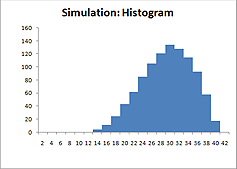
While the new charts in Excel 2007+ look great, they're very slow
to draw. Therefore it's usually not a good idea to allow screen
updates when running a Monte Carlo simulation if you have charts
on the current spreadsheet.
When running a simulation, make sure the "allow screen updates"
box is un-checked. This will allow the simulation to run as fast
as possible, and the charts will update when the simulation
completes.
Disabling or Removing the Add-in
Because the RiskAMP Add-in uses a ribbon interface in Excel 2007+, there are actually two separate add-ins: a regular Excel
Add-in, and a COM Add-in. To disable or remove the RiskAMP
Add-in you need to disable both of these. While it's possible to
do this from within Excel, it's much easier to simply uninstall
the RiskAMP Add-in via the Start ->RiskAMP menu or from
Add/Remove Programs.
 $129.95
Special! Free Choice of Complete Excel Training Course or Excel Add-ins Collection on all purchases totaling over $70.00. ALL purchases totaling over $150.00 gets you BOTH! Purchases MUST be made via this site. Send payment proof to [email protected] 31 days after purchase date.
Microsoft � and Microsoft Excel � are registered trademarks of Microsoft Corporation. OzGrid is in no way associated with Microsoft
SPECIALS!
Convert Excel Spreadsheets To Webpages | Trading In Excel | Construction Estimators | Finance Templates & Add-ins Bundle | Code-VBA | Smart-VBA | Print-VBA | Excel Data Manipulation & Analysis | Convert MS Office Applications To...... | Analyzer Excel | Downloader Excel
| MSSQL Migration
Toolkit |
Monte Carlo Add-in |
Excel
Costing Templates