 |
|
|
|
|
|
|
|
|
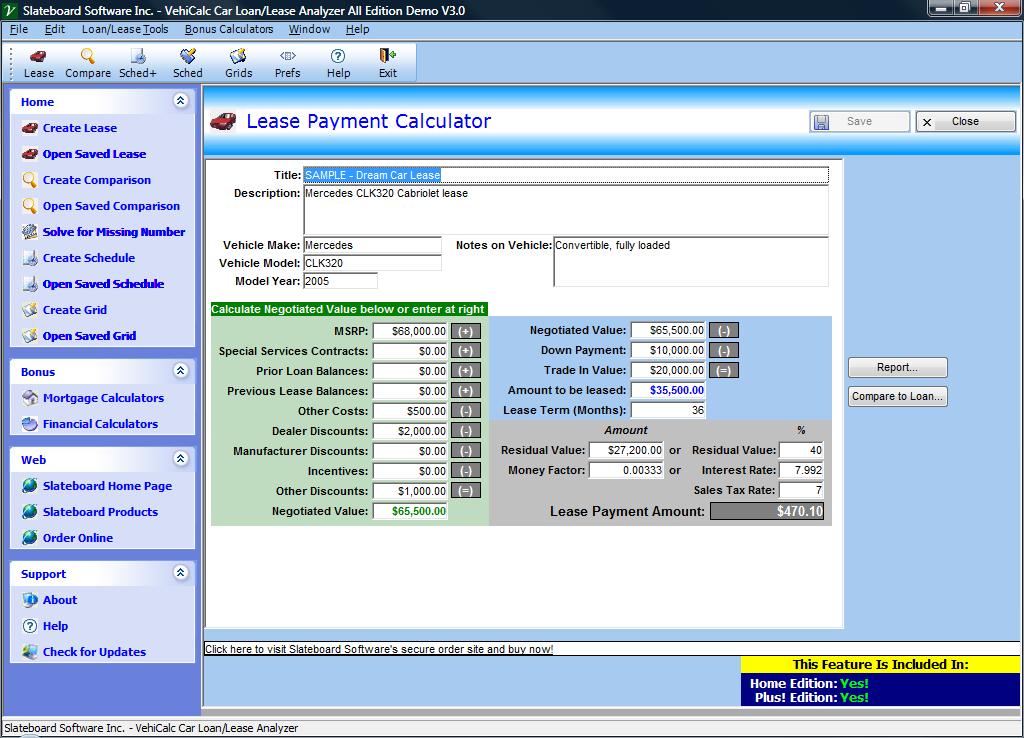
- Specify summary information on the vehicle for future reference.
- Calculate in detail the actual negotiated value, taking into account dealer, manufacturer and other discounts, incentives and balances.
- Skip the detailed negotiated value calculation and simply enter the known value if desired.
- Specify down payment and trade in amounts to determine the amount to be leased
- Specify any lease period in months, not just rigid preset yearly lengths.
- Specify the residual value as an amount or percentage of the MSRP.
- Either enter the Money Factor or an interest rate to automatically calculate the Money Factor.
- Enter a sales tax rate that will be added to the calculated lease payment.
- Click the Report button to see a detailed explanation of how the lease payment was arrived at.
- To compare the true case of this lease to an equivalent loan, click the Compare to Loan button
 Click to enlarge
- Specify summary information on the vehicle for future reference.
- Enter different MSRP and negotiated values.
- Specify down payment and trade in amounts to determine the amount to be loaned or leased.
- Enter a sales tax rate that will be added to the calculated lease payment and purchase price.
- Determine the interest that would be lost on various options by entering an Investment Return Rate.
- Specify any lease or loan period in months, not just rigid preset yearly lengths.
- Specify the residual value as an amount or percentage of the MSRP.
- Either enter the Money Factor or an interest rate to automatically calculate the Money Factor.
- Click the Report button to see a detailed explanation of how the net costs were arrived at.
 Click
to enlarge
Click
to enlarge
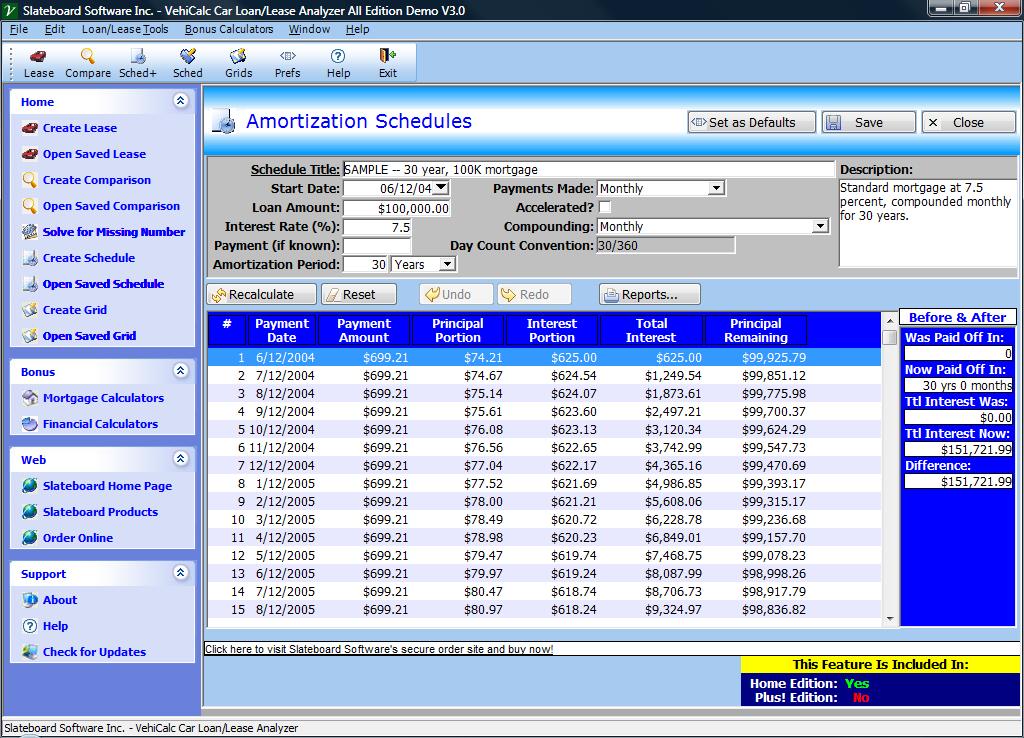
- Daily, weekly, bi-weekly, semi-monthly, monthly, quarterly, semi-annual and annual payment and interest compounding frequencies. Plus Canadian Amortization and U.S. Rule (Simple Interest).
- 14 different Day Count Conventions including 30/360 and Actual/Actual.
- Specify Start date for your schedule or generate generic, non-date specific schedules.
- Change any payment amount to see the impact on the interest.
- Add any number of extra payments by clicking on the row and then the + sign.
- Skip any payment by entering 0 in the payment field.
- Change the interest rate, amortization period, payment frequency or compounding frequency and instantly see the schedule recalculated.
- Generate schedules for different payment types including normal, interest only and more.
- Before and After display shows the impact of your last change.
- Specify amortization periods in Days, Weeks, Months or Years.
- Specify titles and descriptions for later retrieval.
- Click the Reports button and select the level of detail you want and what years you want to print
 Click
to enlarge
Click
to enlarge
 Click
to enlarge
Click
to enlarge
 $39.95 Payment Options/Problems
30 Day Money Back Guarantee!
$39.95 Payment Options/Problems
30 Day Money Back Guarantee!Special! Free Choice of Complete Excel Training Course OR Excel Add-ins Collection on all purchases totaling over $70.00. ALL purchases totaling over $150.00 gets you BOTH! Purchases MUST be made via this site. Send payment proof to [email protected] 31 days after purchase date.
Instant Download and Money Back Guarantee on Most Software
Excel Trader Package Technical Analysis in Excel With $139.00 of FREE software!
Microsoft � and Microsoft Excel � are registered trademarks of Microsoft Corporation. OzGrid is in no way associated with Microsoft