 |
|
|
Also see our huge range of Charting Software. Got a Excel Chart question? Use our FREE Excel Help
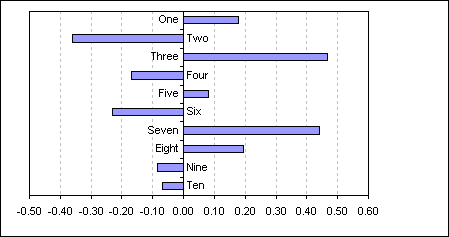
This example uses a dummy data series to plot the category name either side of the axis depending on whether the bar is positive or negative.
Create a bar chart on the data in the range A1:B11
As you can see the category labels on the negative side of the axis are obscured
by the bars.
For this example I have already reversed the plot order of the bars to match
that of the data. See Plotting Bar Chart Categories in
Reverse Order
| A | B | C | |
| 1 | Score | ||
| 2 | One | 0.18 | -0.36 |
| 3 | Two | -0.36 | 0.47 |
| 4 | Three | 0.47 | -0.36 |
| 5 | Four | -0.17 | 0.47 |
| 6 | Five | 0.08 | -0.36 |
| 7 | Six | -0.23 | 0.47 |
| 8 | Seven | 0.44 | -0.36 |
| 9 | Eight | 0.20 | -0.36 |
| 10 | Nine | -0.09 | 0.47 |
| 11 | Ten | -0.07 | 0.47 |
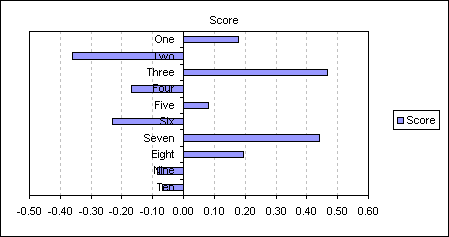
One possible way around this is to set category axis tick mark labels to the Low position.
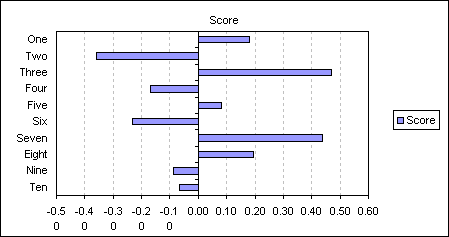
But to keep the text next to the axis whilst not being obscured by the bars you can do the following.
Add the following formula to C2: =IF(B2<0,MAX($B$2:$B$11),MIN($B$2:$B$11))
and then copy down to C11. Add this new data series to the chart
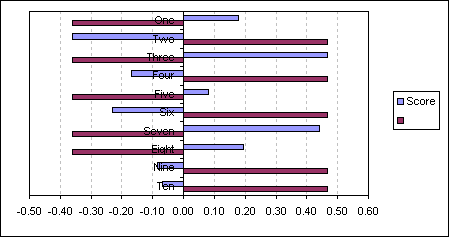
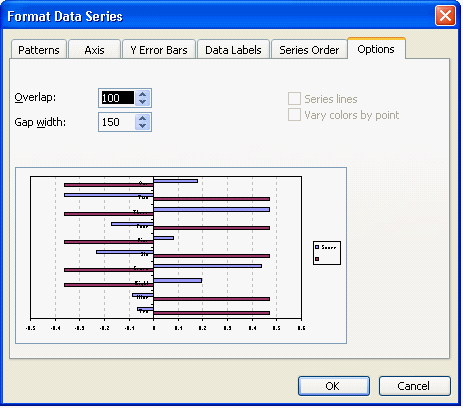
Double click either series and change the Overlap value to 100.
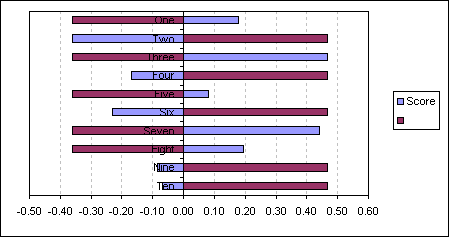
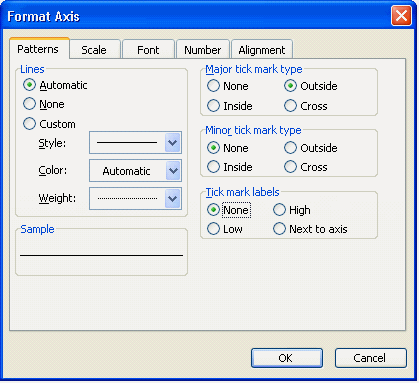
Now format the category axis to remove the axis labels by setting the Tick mark labels to None.
Apply Data labels to the new dummy series, displaying category name.
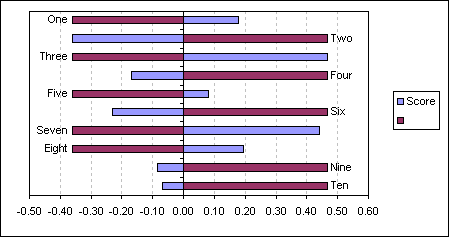
Change the data labels position to Inside Base.
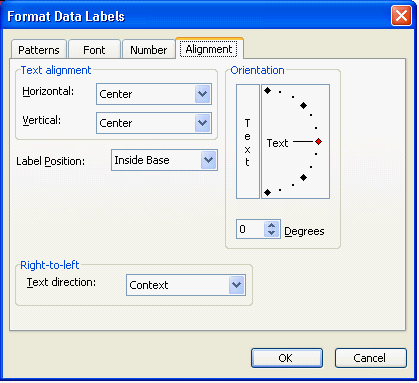
giving you a chart that displays the category name opposite the bar.
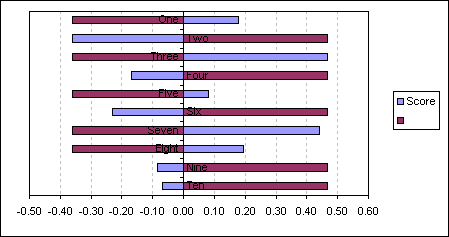
Finally set the Pattern Fill and Border to None for the dummy series. Remove the legend.
This technique will also work with column charts.
Back to Excel Charts Index
Excel Dashboard Reports & Excel Dashboard Charts 50% Off Become an ExcelUser Affiliate & Earn Money
Special! Free Choice of Complete Excel Training Course OR Excel Add-ins Collection on all purchases totaling over $64.00. ALL purchases totaling over $150.00 gets you BOTH! Purchases MUST be made via this site. Send payment proof to [email protected] 31 days after purchase date.
Instant Download and Money Back Guarantee on Most Software
Excel Trader Package Technical Analysis in Excel With $139.00 of FREE software!
Microsoft � and Microsoft Excel � are registered trademarks of Microsoft Corporation. OzGrid is in no way associated with Microsoft
Some of our more popular products are below...
Convert Excel Spreadsheets To Webpages | Trading In Excel | Construction Estimators | Finance Templates & Add-ins Bundle | Code-VBA | Smart-VBA | Print-VBA | Excel Data Manipulation & Analysis | Convert MS Office Applications To...... | Analyzer Excel | Downloader Excel
| MSSQL Migration
Toolkit |
Monte Carlo Add-in |
Excel
Costing Templates